

Build responsive comparison tables in WordPress, without touching CSS.
Table Matrix is a free WordPress plugin for comparison, specification, feature and rating tables — the kind where rows are the things being compared, columns are the criteria, and the cells hold the verdict. You build the table in a purpose-made editor, style it with controls rather than stylesheets, and drop it into any page with a shortcode or a block.
Every table lives in one place in your admin, so ten tables mean ten rows on one screen, not ten pages to hunt through.
What it does
Structure
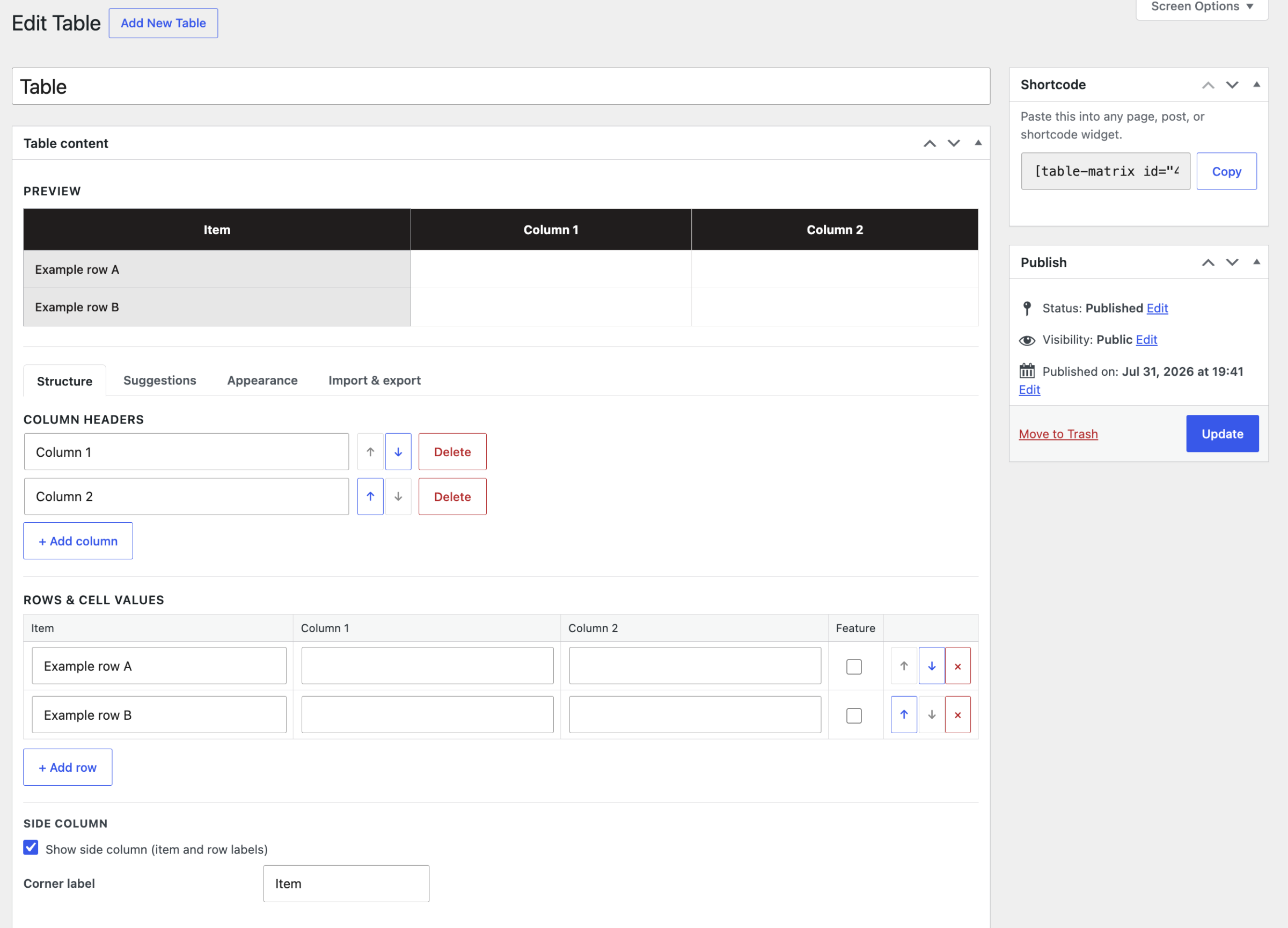
- Add, rename, reorder and delete columns and rows freely.
- An optional side column for row labels, with your own corner label. Turn it off and the row labels stay saved for later.
- Mark any row as a feature row to make it stand out.
- Suggested values speed up repetitive data entry, while any cell still accepts free text.
- Choose which values get highlighted, so a “High” or a “Yes” reads at a glance.
Appearance
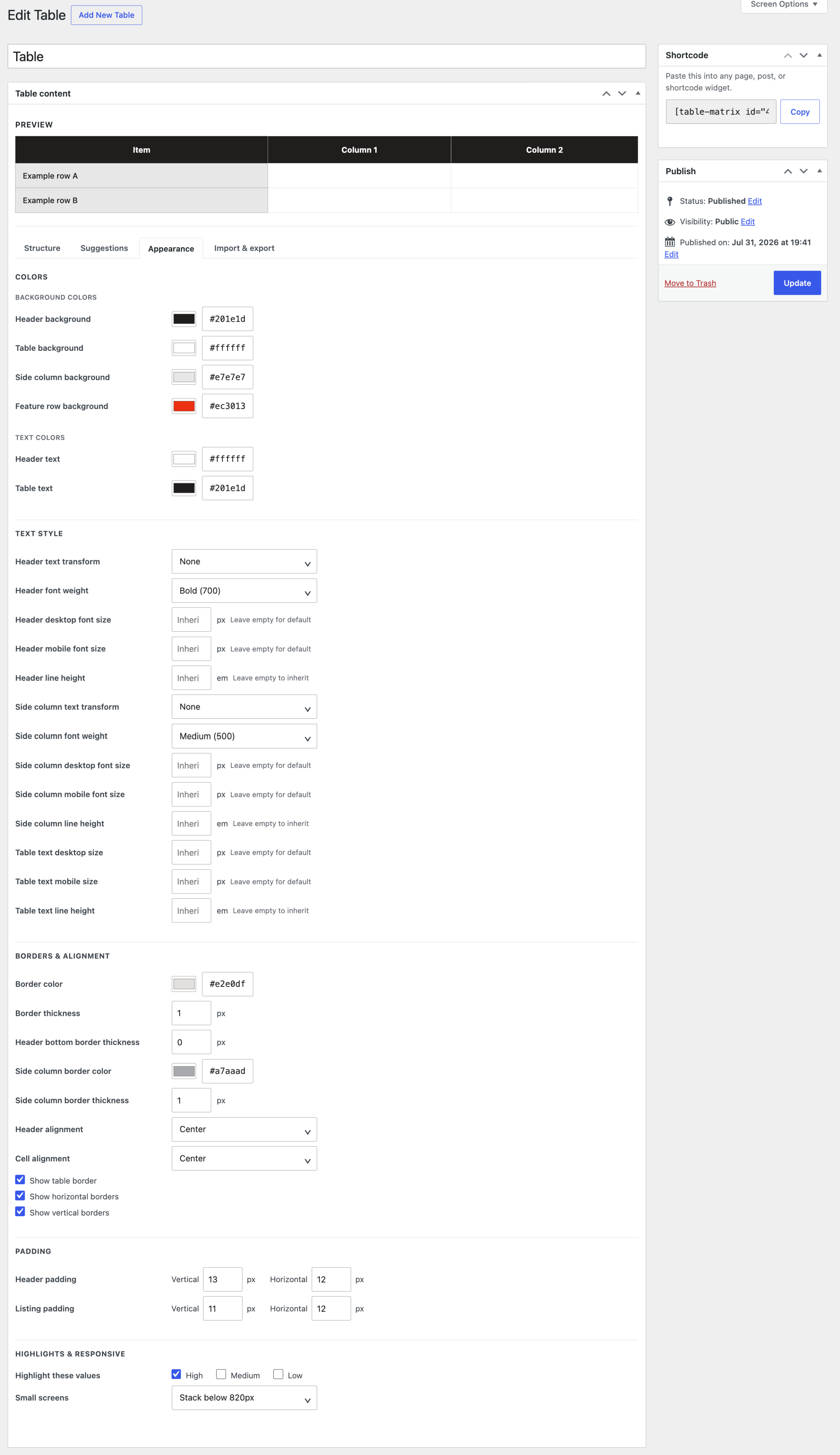
- Colours for the header, table body, side column, feature rows and highlighted values.
- Borders you can actually control: colour, thickness, a separate header underline, and switches for the outer border, horizontal rules and vertical rules.
- Padding and alignment set independently for headers and rows.
- Typography with text transform, font weight, line height, and separate desktop and mobile font sizes for headers, side column and cells.
- A live preview sits above the controls, so you see each change as you make it.
Responsive behaviour
Wide comparison tables are the classic mobile problem. Table Matrix gives you a choice rather than a compromise: stack rows into readable cards below 640px, 820px or 1024px, or keep the desktop layout and let it scroll sideways. In stacked mode every value carries its column label, so the table still makes sense once the header row is gone.
Import and export
Export any table to CSV for backup or bulk editing, and import a CSV to replace its contents — column headers, row labels, cell values and featured rows all travel with it.
Using a table
Create a table under Table Matrix → Add New, publish it, then insert it wherever you need it.
With a shortcode, which works in any page, post, widget or page builder:
[table-matrix id="12"]The exact shortcode for each table is shown in the sidebar of its edit screen and in the Table Matrix list, ready to copy.
Or with the block: search for Table Matrix in the block inserter and pick your table from the dropdown.
The same table can appear in as many places as you like. Edit it once and every instance updates.
Requirements
- WordPress 6.3 or newer
- PHP 7.4 or newer
Your data stays yours
- Table Matrix makes no external requests. Nothing is sent anywhere, ever.
- It collects no analytics and no personal data.
- Deactivating the plugin never removes anything. Even uninstalling preserves your tables by default — permanent deletion is opt-in, in Table Matrix → Settings.
- Released under the GPL, version 2 or later.
Questions
Can I put any text in a cell?
Yes. Suggested values exist to keep your wording consistent, not to restrict it.
Can I hide the first column?
Yes, in the Structure tab. Row labels remain saved and can be shown again at any time.
Does it work with my page builder?
Yes. The shortcode works anywhere shortcodes do, including Elementor and similar builders.
Will uninstalling delete my tables?
No, not unless you ask it to. See the note above.
Download
Coming Soon